A page that answers for you, in your own words.

StandMeet is open-source software you run yourself. You think out loud with the AI you already use and keep what matters in your own corpus; visitors ask an AI that answers from it, in your voice, within the limits you set.

OPEN SOURCE · SELF-HOSTED · BRING YOUR OWN MODEL
AFTER THE CAROUSEL / STANDMEET

So how should
a person be known?

A résumé lists what you have done. A social profile teaches you to say it nicely. Yet the part of some people most worth knowing happens before any conclusion: the questions they keep asking, the minds they change, the two unrelated ideas they suddenly connect.

StandMeet gives that thinking a place where it can be met. You keep thinking in the AI conversations you already have, and keep what is worth keeping in your own corpus. A visitor does not have to read everything you wrote first; they can simply ask the question they actually have.

See how an encounter happens ↗
HOW IT WORKS

Thinking needn’t become an essay
before others can see it.

01 / THINK
You, talking with an AI
“Actually, I disagree with
how this question is framed…”
Claude · Cursor · any MCP client

Think where you already think

Talk with the AI you already use. When an idea takes shape, you don’t have to stop and write a post. StandMeet gives you write tools, and you choose which thinking to keep.

02 / CURATE
rawwikioutput
You filter, edit and publish

You decide what represents you

Rough ideas can be kept as they are, then refined into citable notes once they settle. You curate the corpus yourself, optionally synced with Obsidian; nothing publishes your chats automatically.

03 / MEET
A visitor asks:
“What made you change your mind?”
Answers grounded in the open corpus · with sources

Let a meeting start with a question

The AI answers a visitor from the corpus you have opened, and points to what it read. Different visitors can be given different reach.

THE REAL THING

What it looks like
from both sides.

Screens from StandMeet’s own end-to-end test runs, not mock-ups.

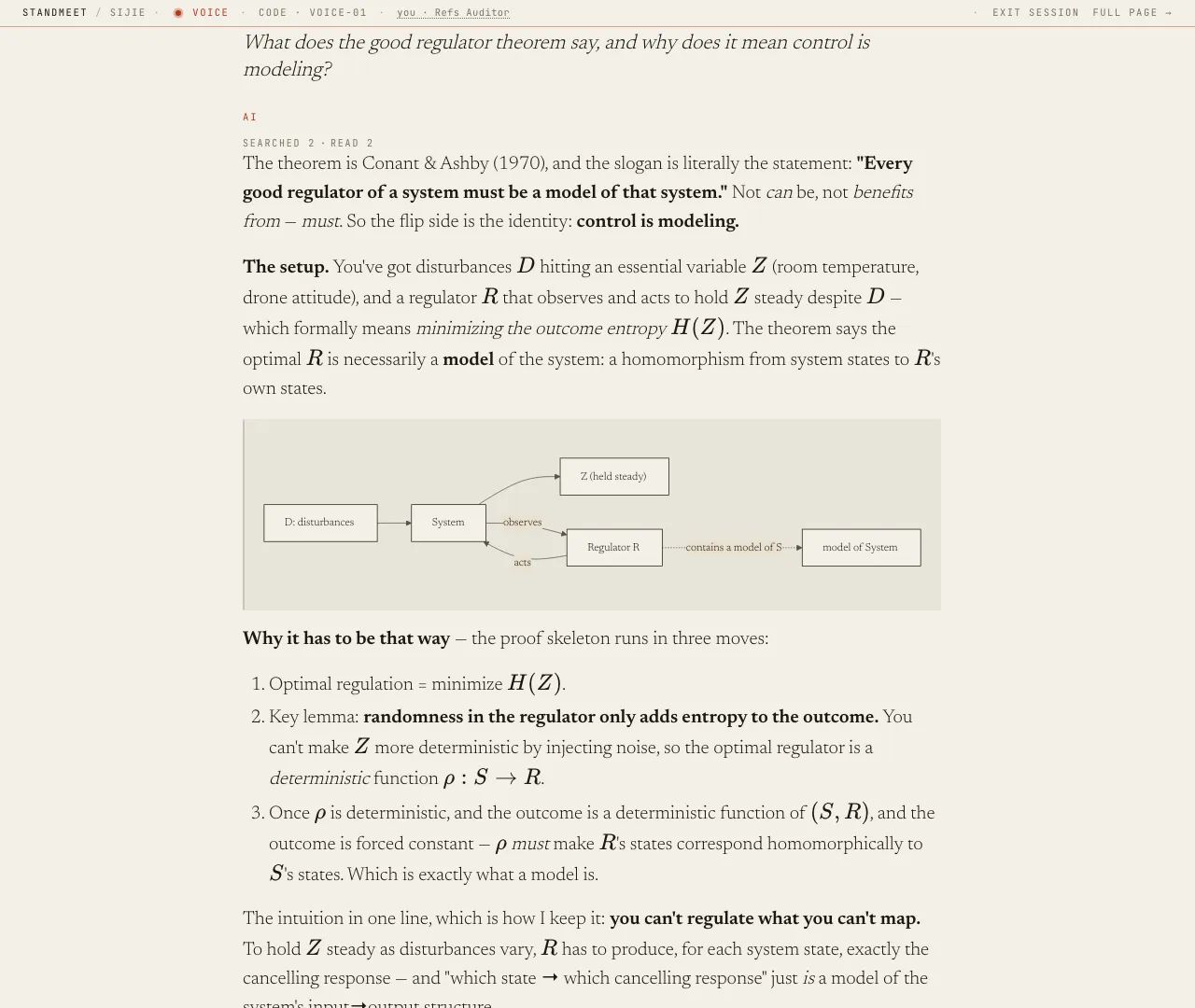
A StandMeet visitor conversation: a question about the good regulator theorem answered with formulas and a diagram
A visitor’s question, answered from the corpus — with math, a diagram and the notes it read.
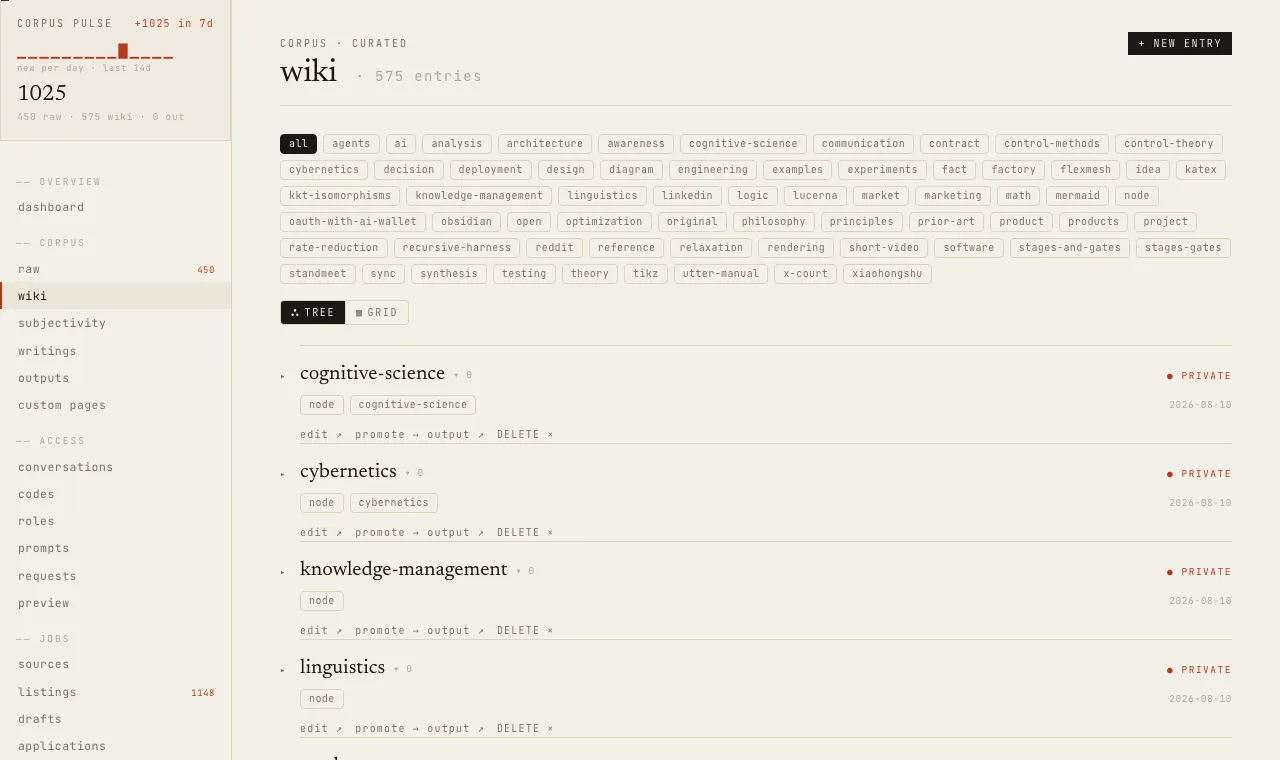
The StandMeet admin wiki view with a corpus activity sparkline, tag filters and private entries
The owner’s wiki: every entry, its tags, and whether it is public or private.
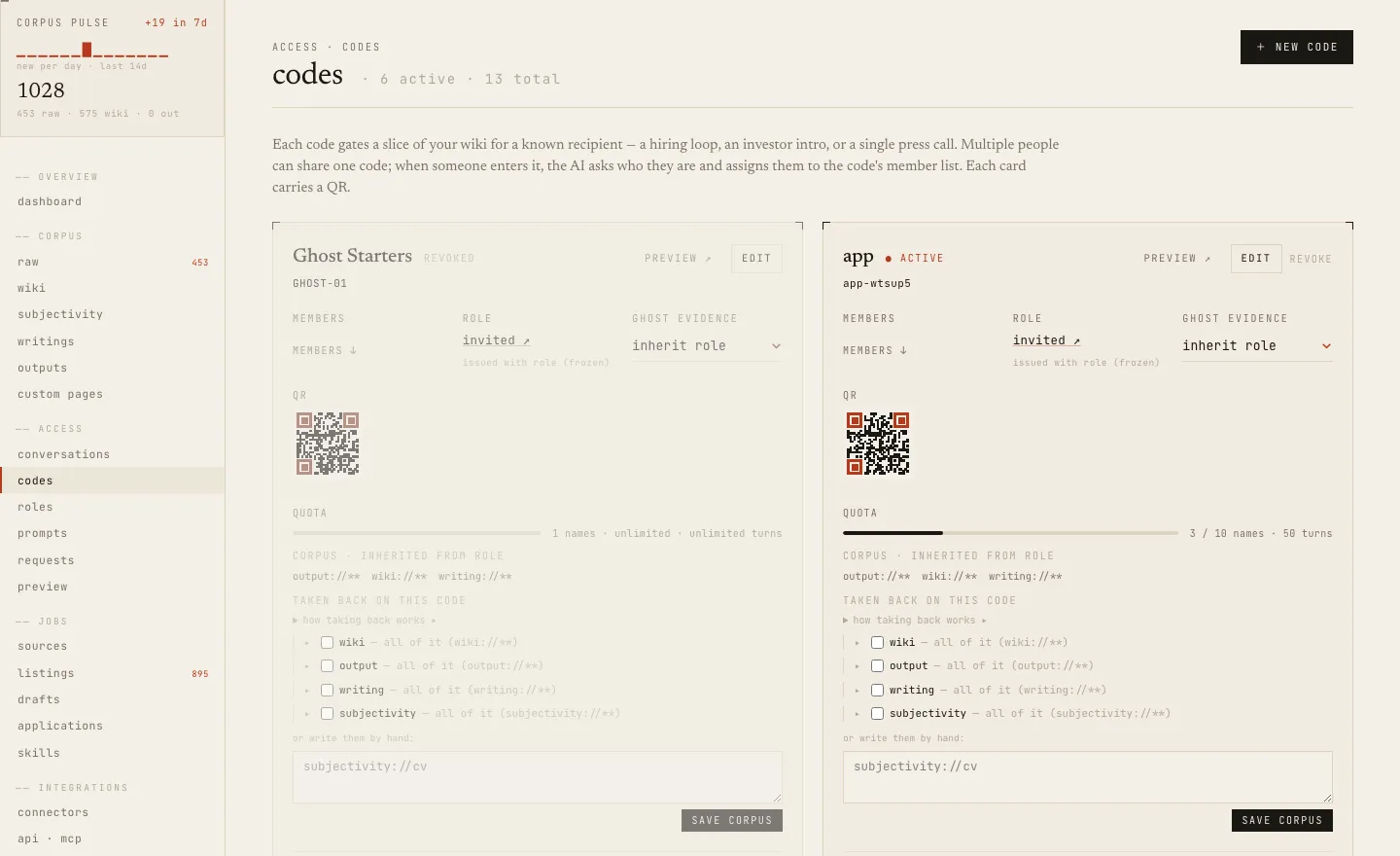
The StandMeet admin access-codes page with QR codes, quotas and corpus scopes
Access codes: a QR per code, a role deciding what it reads, quotas and expiry.
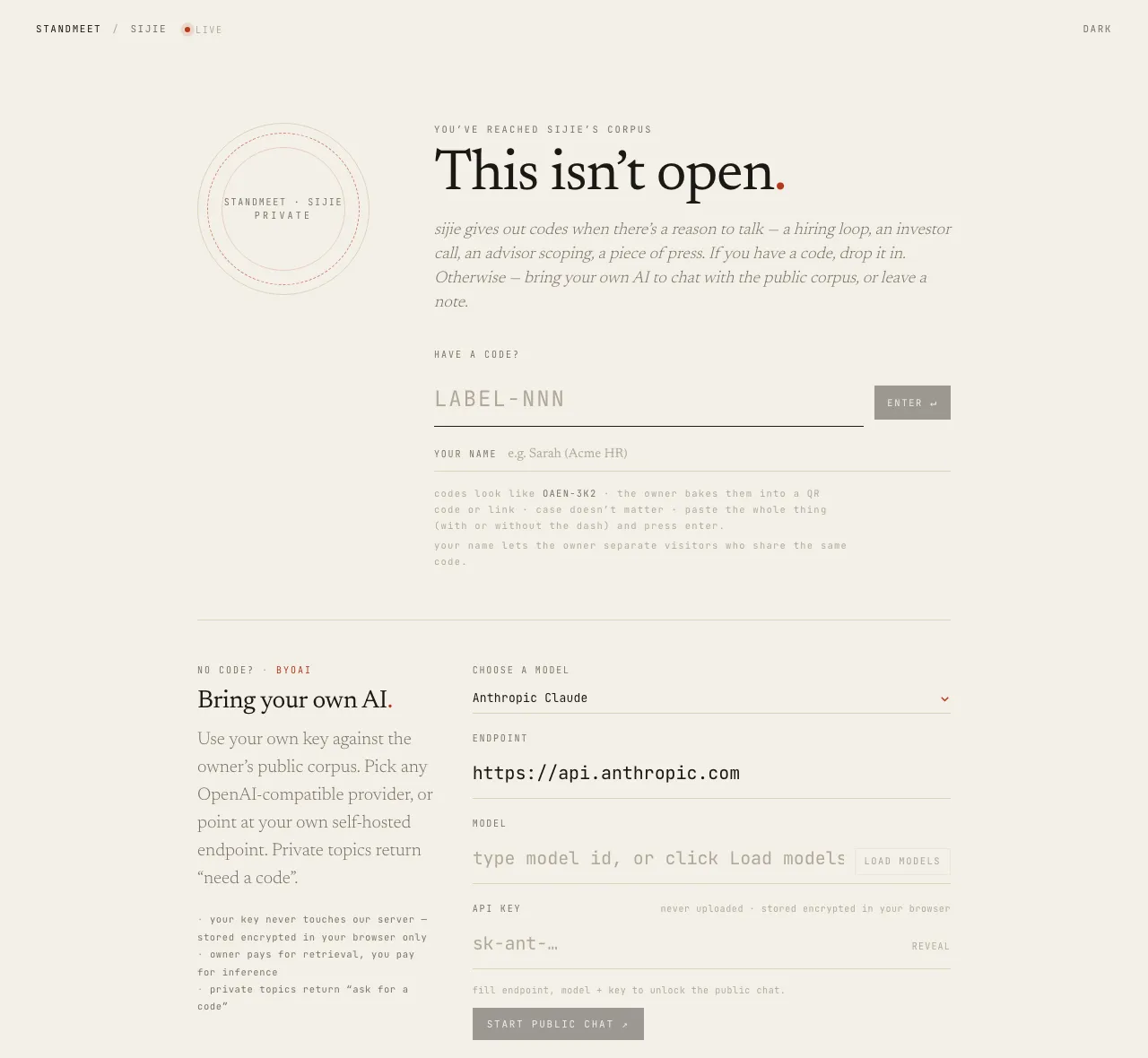
The StandMeet gate page with a code input, a bring-your-own-AI panel and a request-access note
A visitor without a code: enter one, bring their own AI, or leave a note.
ONE CORPUS, MANY ENTRANCES

You don’t have to reintroduce yourself
everywhere you go.

A corpus can be a tree that keeps growing. A page picks one branch and gives it its own reading and its own place to ask; who can reach what is still up to your settings.

YOUR CORPUS / EXAMPLE
▾  My thinking
├  About me ↗
├  Projects / StandMeet ↗
└  Reading & writing ↗
Curate once; keep being asked from every entrance.
sijie.xyz / p / standmeet

Why does this project exist?

Start from “don’t reduce a person to a résumé”, then read how it became a personal corpus you can question.

01   Starting beyond the résumé
02   How I curate my thinking
03   Encounters with permission
What would you like to ask about StandMeet?↗
CorpusWidget + AgentWidget

The page shows the project subtree; a visitor can read from this branch or keep asking the agent.

INTERACTIVE ILLUSTRATION · WIDGET NAMES AND QUERY SYNTAX MATCH THE SDK

THE PAGE IS YOURS TO COMPOSE

A site needn’t
have one fixed shape.

StandMeet provides composable parts; your microsite decides which content, questions and actions go together. Visitors see a whole page, not a row of API names.

READ

Give a branch of thinking a place

Pick public notes under a path, let visitors unfold them in place, then go on to the full piece.

<CorpusWidget query="path:projects/standmeet/** sort:recent limit:3" />
ASK

Let visitors enter through a question

With access they talk right away; without it, the question takes them to the way in.

<AgentWidget examples={["Why build this?"]} />
CONNECT

Link your other pages

List your other microsites automatically; add an access gate or your uploaded files when you need them.

PageNavWidget · GateWidget · AssetWidget
ACT

Let the page get something done

Put authorized tools straight on the page, so visitors don’t have to go through chat every time.

BlockWidget · useBlockTool
OUTSIDE YOUR STANDMEET PAGE

Already have a website?
Bring the conversation there.

A StandMeet conversation can be embedded in your own blog or project site. Tie that entrance to an access code and the origins allowed to host it, so visitors only talk about the part of your corpus you chose.

A project page can then open just the project branch while the rest of your notes stay put. What you embed is a door, not the whole house.

your-existing-site.dev / project
What I’m working on
STANDMEET / EMBEDDED CONVERSATION

Ask me a specific question about this project.

Your question ↗
A SCOPED CODE · AN ALLOWED ORIGIN · YOUR OWN PAGE
A REAL QUESTION IS A BETTER INTRODUCTION

If you wanted to know someone,
what would you ask?

Not “describe yourself in three words”. Ask why they started something, where they changed their mind, or the hardest choice to explain in a project.

See Sijie’s real microsite ↗
AN ENCOUNTER / EXAMPLE
Why did you want to build StandMeet?
Because résumés and home pages only hold part of a person — especially people who think constantly but rarely turn it into essays. StandMeet turns the thinking you already do into a place others can walk into, one question at a time.
Grounded in ↗StandMeet · the bet / the corpus
Ask another question, meet another side.↗
PAGE DEMO · NOT A LIVE AI REPLY
THE PRODUCT, ANSWERING FOR ITSELF

Don’t read about it.
Ask it.

This conversation reads only StandMeet’s own design notes — the same corpus as the Notes section — and points to what it read. It is exactly what a visitor to your page would get.

The live conversation opens on the real microsite, where the StandMeet notes answer for themselves.

Talk to it on sijie.xyz ↗
AN INVITATION, NOT A DEAD PDF

Even a résumé
can open a conversation.

You can still hand in a résumé. But the QR code in its corner takes the reader into a conversation about your work, and the access code decides which part of your corpus they can read. Where the paper stops, the exchange begins.

APPLICATION / 001ACCESS: SELECTED WORK
Sijie Wang
SCAN TO ASK ABOUT THE WORK ↗
WHO IT IS FOR

Anyone with more to say
than one page can hold.

The shape is always the same: one person or thing, many audiences, each needing a different slice. StandMeet serves each slice without making you repeat yourself.

LOOKING FOR WORK

Your résumé starts a conversation

Every application carries a QR code in its corner. A recruiter scans it and asks about your work directly, within the slice you opened for that role.

↗
FOUNDERS & PRODUCTS

One project, a different face for each audience

An investor, a contributor and a first-time user want different things from the same project. Give each a code, or a microsite, scoped to what they need.

↗
THINKERS & WRITERS

Your thinking, without turning it into posts

You think in conversations, not essays. Keep what is worth keeping; readers can follow a thread by asking instead of scrolling an archive.

↗
See how each one works ↗
SELF-HOST

Your server, your domain,
your model keys.

StandMeet ships as prebuilt images and one compose file. There is no hosted service to sign up for: you run the whole thing, and your corpus never leaves your machine except to reach the model provider you chose.

Read the self-hosting guide ↗
curl -fsSLO https://raw.githubusercontent.com/atmaxmoj/standmeet/main/infra/deploy/docker-compose.yml
# set POSTGRES / SESSION / INSTANCE secrets and your public URL in .env
docker compose up -d
  • A Linux host with Docker and Docker Compose v2
  • One domain for your page
  • A reverse proxy for TLS that forwards X-Forwarded-For (Coolify’s does)
  • An API key from the model provider you want to use
OPEN SOURCE, OPEN ENDS

Plugs into what you
already use.

StandMeet speaks MCP on one side and plain web on the other, so it fits around your tools instead of replacing them.

  • Claude · Cursor · any MCP clientthink and write to the corpus
  • Obsidianimport a whole vault
  • Telegramchat on an access code
  • Google Calendar · CalDAVvisitors book a meeting
  • SMTPmail and notifications
  • React SDK · <standmeet-chat>embed on your own site
  • Anthropic · OpenAI · DeepSeek · OpenRouter · Ollama …your choice of model
  • Greenhouse · Lever · Ashby · HN …job sources for the application loop
AGPL-3.0 · MCP client under MIT · GitHub ↗
YOUR WORDS, YOUR BOUNDARIES

You decide what can be seen.

You manage the corpus and the permissions. Public visitors reach public content; people with an access code ask within what their role opens. Answers point to their sources. Private stance notes are not quoted publicly by default.

01 / ON THE PAGEWhich branch is shown

A page’s CorpusWidget path query decides which cards appear. A project page shows only project notes; a reading page only reading notes.

02 / IN THE CONVERSATIONWhich branch can be read

The role behind an access code decides what the agent can actually read. An external embed inherits that permission and is limited to its allowed origins.

One tree, many ways to show it and many reaches into it. StandMeet is self-hostable, and your notes can stay in Obsidian.

QUESTIONS

Before you ask
the corpus.

The questions people ask most before running their own.

All questions ↗
Is there a hosted version I can sign up for?

No. StandMeet is software you run on your own server, from prebuilt images. The author runs one at sijie.xyz, which is also the live demo.

What does it cost?

The software is free and open source. You pay for your server and for the model provider whose key you configure; visitors who bring their own key pay for their own inference.

Who can see what?

You decide per entry and per role. Public visitors see only what you published; an access code reads what its role allows; rough notes in raw are never readable by visitors. Answers point to the notes they used.

Does the AI make things up about me?

It answers from your corpus and cites what it read. When a topic is outside what a visitor may read, it says so instead of guessing. You can read every transcript afterwards.

STANDMEET

Don’t just hand over a business card.
Leave a question worth asking.

See what a real encounter looks like first. If you want a page like this for yourself, the self-hosting guide is on GitHub.